OptiMax

MT5 EA Development / OptiMax / Monthly Base + Period Boost

OptiMax Plan with 99.9% SLA Guarantee

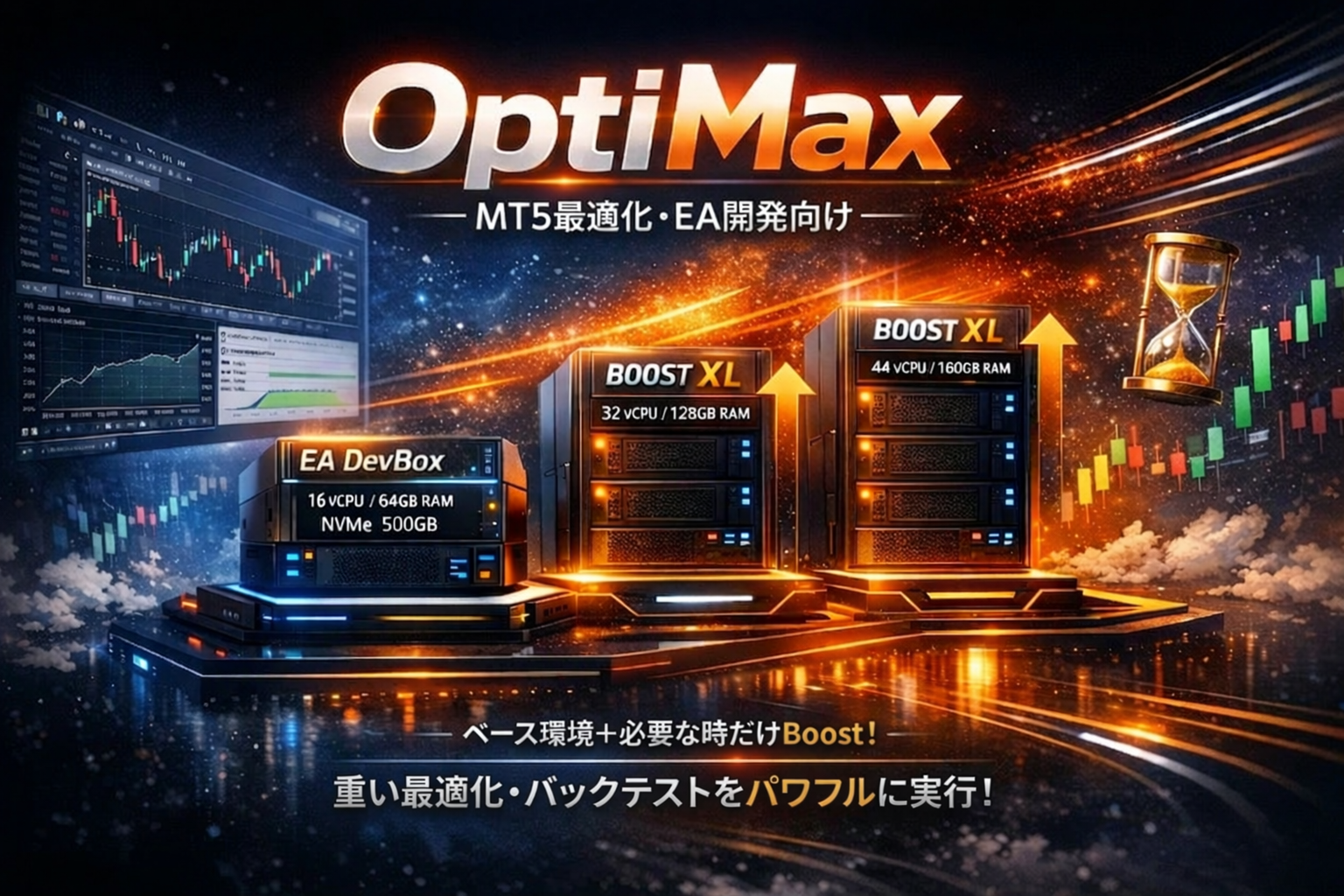
OptiMax is a pricing model that maintains a monthly base environment while allowing you to add 24-hour / 7-day Boost only when needed.
Without complex pricing menus, you can use high-capacity resources only when and as much as you need them.

We provide a Kubuntu24 OS template customized by BESTNET

NVMe 500GB Standard 24/7/30 Boost After the period ends, automatically returns to standard configuration Data and settings are retained Preconfigured OS Template UPS Power Protection Power protection with in-house generators redundant configuration
Pricing Display
STEP 1

maintain the base environment

With a monthly DevBox subscription, you can continue development while retaining your EA, historical data, and settings.

STEP 2

Boost Only When Needed

For intensive optimizations and short-term backtests only, performance is boosted 24/7.

STEP 3

After completion, it will automatically return

When the Boost period ends, the system automatically reverts to the standard configuration, making the pricing easy to understand.

BASE ENVIRONMENT

OptiMax DevBox

A base plan that allows you to add Boost only when needed while maintaining your development environment. A configuration that facilitates ongoing development without requiring a full-spec contract at all times.

$ 81.59 /month
  • 16 vCPU
  • 64GB RAM
  • NVMe 500GB
  • For environment preservation and continuous development
  • Includes 1 global fixed IP
  • Firewall Control Function
  • Online Snapshot Feature
  • Automatic Backup Feature
  • Remote desktop available
  • SSH connection available
  • SLA99.9%
  • OS Kubuntu24 (Wine pre-installed)
Order DevBox

It is suitable for users who first subscribe to a monthly base environment and add Boost only when needed.

Optimizer Boost

You can switch between 24 hours / 7 days / 30 days to select a Boost plan that matches the scale of your optimization.

Light

Boost L

For short-term testing and lighter optimization

CPU32 vCPU
RAM128GB RAM
STORAGENVMe 500GB

$ 31.23 24 hours

for short-term intensive testing

How to Use Boost
$ 126.21 7 days

For those who want to run backtests for multiple days at once

How to Use Boost
$ 189.95 30 days

For those who prioritize ongoing use and monthly cost comparison

How to Use Boost
Max

Boost XXL

For Large-Scale Optimization / Maximum Performance

CPU64 vCPU
RAM256GB RAM
STORAGENVMe 500GB

$ 81.59 24 hours

For those who want to advance large-scale optimization all at once

How to Use Boost
$ 317.43 7 days

For long-duration, high-load testing

How to Use Boost
$ 444.91 30 days

For those who prioritize ongoing use and monthly cost comparison

How to Use Boost

Boost can be added after signing up for an EA DevBox contract.
If you are new, please first check the usage guide.

※ Boost is prepaid and time-limited. After the period ends, it automatically reverts to the standard configuration.
※ Data, history, and settings are preserved, so you can boost performance only when needed while maintaining your development environment.

OptiMax Service Specifications

Designed on the principle of “boost performance only when needed,” this configuration allows you to maintain a monthly base environment while handling intensive optimization and backtests with 24-hour / 7-day / 30-day Boost options. Rather than complex metered billing, we emphasize a simple and straightforward approach.

NVMe 500GB Standard
24-hour / 7-day / 30-day Boost
Auto-revert to standard configuration after period ends
Data, settings, and development environment preserved
Use cases

Ideal For

  • MT5 Expert Advisor (EA) development and testing
  • Strategy Tester optimization
  • Parallel backtests with multiple conditions
  • Continuous development with historical data and logs
  • Short-term intensive high-load testing

Ideal configuration for those who want to “boost only on needed days” and “keep billing simple.”

How it works

Simple to Use

First, maintain your development environment with the base configuration, then add Boost only when you need intensive optimization. The system automatically reverts to the standard configuration after the Boost period ends, minimizing unexpected charges from forgotten cancellations.

※ Data, settings, and development environment on disk are preserved as-is.
Lineup

Configuration Lineup

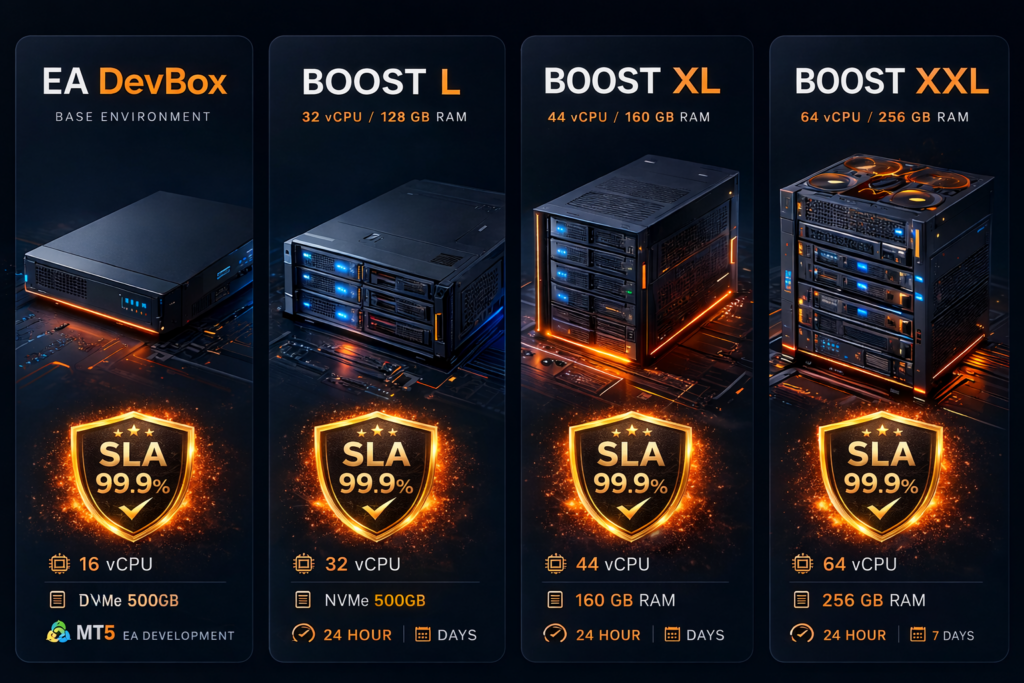
Base Environment: 16 vCPU / 64GB RAM / NVMe 500GB
Boost L: 32 vCPU / 128GB RAM / NVMe 500GB
Boost XL: 44 vCPU / 160GB RAM / NVMe 500GB
Boost XXL: 64 vCPU / 256GB RAM / NVMe 500GB
Boost available in 24-hour / 7-day / 30-day durations. Scalable support from Expert Advisor (EA) development to large-scale optimization.

Pricing Model

Price model

¥12,800/month + Boost Ticket as needed

First maintain EA DevBox on a monthly basis, then add 24-hour, 7-day, or 30-day Boost only when intensive optimization is needed.

Base

EA DevBox

¥12,800 / month
16 vCPU / 64GB RAM / NVMe 500GB
Boost L

32 vCPU / 128GB

24 hours: ¥4,900
7 days: ¥19,800
30 days: ¥29,800
NVMe 500GB shared
Boost XXL

64 vCPU / 256GB

24 hours: ¥12,800
7 days: ¥49,800
30 days: ¥69,800
NVMe 500GB shared
Example 1

Just maintaining development environment

EA DevBox only
¥12,800 / month

Keep your environment in this state normally, adding Boost only when needed.

Example 2

Heavy optimization on XL for one night

EA DevBox ¥12,800 + XL 24 hours ¥7,900
¥20,700 / month estimate

The most straightforward example of “base normally, boost only on needed days.”

Example 3

One week of intensive XL testing

EA DevBox ¥12,800 + XL 7 days ¥29,800
¥42,600 / month estimate

Image for intensive optimization over several days to a week.

Example 4

Full month on XL

EA DevBox ¥12,800 + XL 30 days ¥44,800
¥57,600 / month estimate

When you have a clear continuous usage period, the 30-day Boost is most straightforward and economical.

Comparison

Difference from MQL5 Cloud

Not a matter of superiority, but different use cases suit each service.
Best for Cloud

When MQL5 Cloud is Suitable

  • Running massive optimization passes all at once
  • Prioritizing time-to-completion above all
  • Processing large-scale optimization calculations in short time

MQL5 Cloud suits high-speed optimization using numerous computational resources, though costs vary with usage volume.

Best for OptiMax

When OptiMax is Suitable

  • Continuously maintaining Expert Advisor (EA) development environment
  • Boosting performance only when needed
  • Using with easily predictable billing

OptiMax suits maintaining your development environment on EA DevBox base while adding Boost only at needed moments.

Comparison PointMQL5 CloudOptiMax
Core ConceptUse broad computational resources to rapidly complete optimizationMaintain development environment, Boost only when needed
Best Suited ForWhen urgently completing large-scale, short-term optimizationWhen repeating Expert Advisor (EA) development → testing → re-optimization in the same environment
Billing VisibilityVaries with usage volumeEasily understood as monthly base + Boost Ticket
Cost PredictabilityFinal cost difficult to determine in advanceEasy to estimate approximate cost before signing up
ConsiderationsTraffic charges apply, with RAM/disk limits per optimization passBoost is designed to be added after EA DevBox contract

※ For running large-scale “Every tick” optimizations all at once, MQL5 Cloud may be suitable. Conversely, when you want to maintain an Expert Advisor (EA) development environment and boost performance incrementally as needed, OptiMax is appropriate.

Usage Flow

1

Sign up for EA DevBox

First contract the monthly base environment. Continuously maintain your development environment, data, and settings.

2

Purchase Boost only when needed

Only when running intensive optimization, upgrade to L / XL / XXL 24-hour, 7-day, or 30-day tickets.

3

Use high-performance configuration during period

With your selected Boost configuration, efficiently proceed with short-term intensive optimization and backtests.

4

Auto-revert to standard configuration after period

After the Boost period ends, automatically revert to EA DevBox standard configuration. Data and settings are preserved as-is.

Extension

If you want to continue longer during 24-hour Boost

Start with 24-hour Boost, then if you decide “I want to keep running,” you can add the same grade’s 7-day Boost to continue. If you anticipate longer usage from the start, selecting 30-day Boost is more economical.

Example: If you want to continue while using XL 24-hour Boost → Add XL 7-day Boost to continue intensive optimization seamlessly

This configuration makes it easy to decide “try just one day first,” “extend to 7 days if needed,” or “go 30 days for continuous use.”

Pricing image

Pricing Image for Extensions and Long-term Use

Case A
EA DevBox + XL 24-hour Boost + XL 7-day Boost
¥12,800 + ¥7,900 + ¥29,800
¥50,500
Example when starting with monthly base + 24 hours, then extending to 7 days mid-way.
Case B
EA DevBox + XL 30-day Boost
¥12,800 + ¥44,800
¥57,600
When continuous use is anticipated, 30-day Boost is most straightforward and economical.

※ Even if extended testing becomes necessary, OptiMax’s feature is making it easy to decide usage incrementally rather than committing large upfront.

Summary

OptiMax Key Points

By maintaining your development environment monthly while adding high-performance Boost only when needed, OptiMax suits the “keep it modest normally, run intensively only when needed” approach for MT5 Expert Advisor (EA) development and optimization. Pricing is easy to understand as EA DevBox + Boost Ticket, and operations are simple since the system automatically reverts to standard configuration after Boost ends. Furthermore, with 24-hour / 7-day / 30-day options, you can flexibly choose from short-term testing to continuous use.

Services You Can Use with Confidence

We are focused on providing a service that our customers can use with confidence and comfort by expanding our versatile self-service features and how-to articles for various functions.

We also implement service updates and add new features to the client portal based on customer feedback.

Uniquely tuned for MetaTrader

When running multiple instances of MetaTrader on Linux, there are cases where the combination with the Wine version can cause unstable operation.

We provide an OS template with our proprietary tuning and diagnostic reset tools installed to stabilize performance.

※This is not a guarantee of operation※

99.9% SLA Guaranteed

OptiMax comes with a strict server uptime guarantee (SLA).

The service infrastructure’s power, servers, storage, and network are all provided from an enterprise-level managed environment.

Please refer to this page for SLA terms.

Shall we take a look at how to use OptiMax?

How-to articles, usage examples, and more are being updated regularly.

Reasons to Choose Our Service

The BESTNET FXVPS service has a proven track record of 8 years since its launch.

We have been supported by many customers who have used our service over the years.

High Performance

Console plans use hybrid flash, and remote desktop plans use NVMe SSD storage for high-speed performance

User Account Management

Login to the client portal supports enabling two-factor authentication protection and server management by multiple users.

Backup and Restore

All plans come standard with one generation of backup, and you can freely perform restorations from the client portal

Redundant Infrastructure

Servers, network, and storage are configured with redundancy (no failure occurs from a single point of failure)

transparent pricing

We do not use misleading price displays that fluctuate based on external factors such as USD/JPY exchange rates or that make prices appear lower than they are.

Server Access with Administrator Privileges

Unlike shared servers, you have full administrator privileges to freely operate your server

Flexible Server Customization

You can change your VPS server performance through prorated settlement of the price difference

power protection

All power systems in our data center are protected by UPS and backup generators. We have a proven track record of continuing service without a single second of downtime during multiple power outages caused by earthquakes with a seismic intensity of 6 Upper and typhoons

Frequently Asked Questions

OptiMax

  • What happens when the Boost period ends?

    When the Boost period ends, the server automatically restarts and returns to EA DevBox specifications.

    For this reason, if you submit an optimization job right at the end of the period, the processing work may be interrupted by the restart.

    It is possible to upgrade from a 24-hour ticket to a 7-day ticket after purchase, but if you are concerned about timing, please open a ticket with support and contact us in advance.

  • When is the billing timing? (Is it different for monthly plans and Boost Tickets?)


    EA DevBox (monthly) is prepaid monthly. Boost Tickets (24 hours / 7 days) are one-time purchases, prepaid at the time of purchase and switching. 

  • What happens if I purchase (repurchase) another 7-day ticket?

    If you repurchase after Boost ends (after returning to EA DevBox), you can start Boost again. If you repurchase while Boost time remains, the remaining time will not be carried over, so we recommend repurchasing after expiration. 

  • Can I change (extend) a 24-hour ticket to a 7-day ticket?

    Yes, you can. While Boost is running, go to the server overview page and select Upgrade → Upgrade Package to switch to a “7-day ticket” of the same size.

    Please note that if you upgrade while 12 hours have elapsed on a 24-hour ticket, the remaining 12 hours will not be added, and the 7-day ticket countdown will start from that point.

  • When does the Boost end (revert to the normal plan)?

    The 24-hour ticket will automatically restart and revert to EA DevBox (standard specs) after “24 hours,” and the 7-day ticket after “7 days” (your data will remain intact). 

  • When does the Boost start?

    After the order payment is completed, the server will restart within a few minutes and the Boost will be applied.

Do you have any questions?

If you have any questions before signing up, please feel free to ask via live chat

Available Payment Methods

In addition to bank transfer payment methods, we support the following payment providers.

m_logo
stripe
square
heleket

Would you like to become an affiliate?

Our affiliate program is easy to get started