Client Portal / VPS Operations
This page provides instructions on how to force restart your VPS from the client portal when a normal restart is not possible.
Please confirm before use
When using services through the console, the screen may freeze due to excessive launch of MetaTrader or Expert Advisors (EAs), etc.,
making a normal restart impossible in some cases.
When a normal restart is no longer possible, you can use the Force Restart function.
1. Purpose and Overview of This Procedure #
This is a procedure for performing a force restart on a VPS that cannot be restarted normally from the client portal.
2. Force Restart Procedure #
Step 1 Open the target service from the service list #
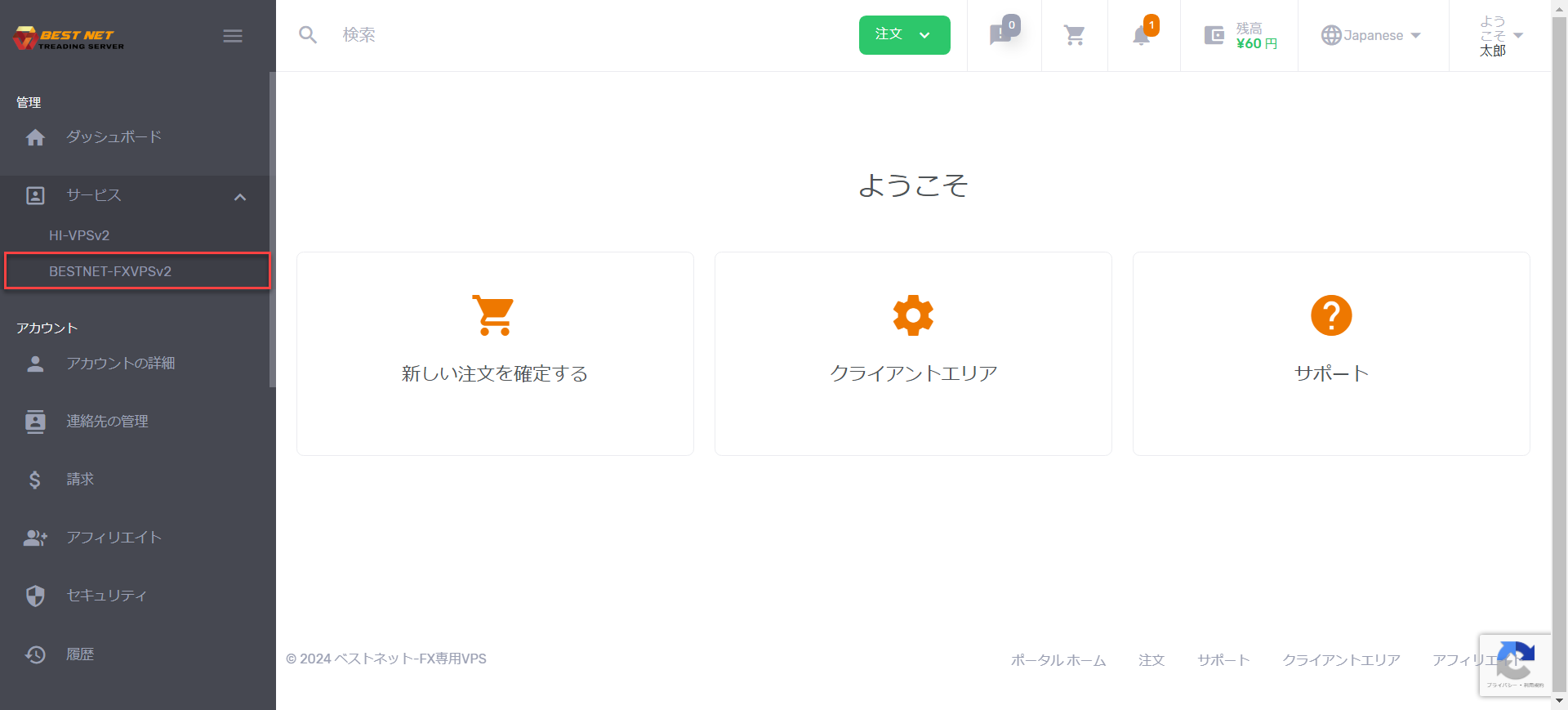
After logging in with your account, click on Services on the left side,
and access the service for which you want to perform a force restart.
Step 2 Open the target VPS instance #
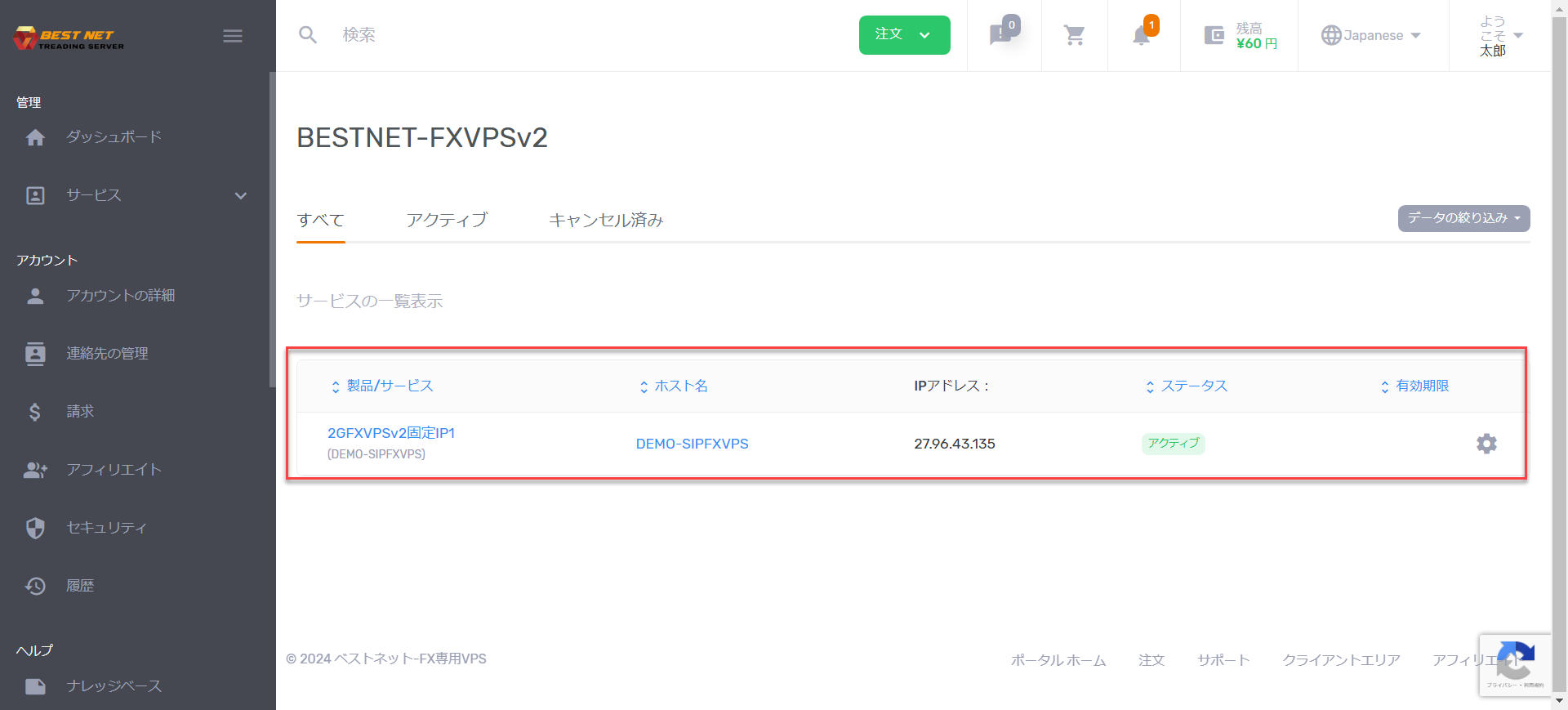
Once the service is displayed, click on the corresponding VPS instance to open it.
Step 3 Click “Reset” on the server details screen #
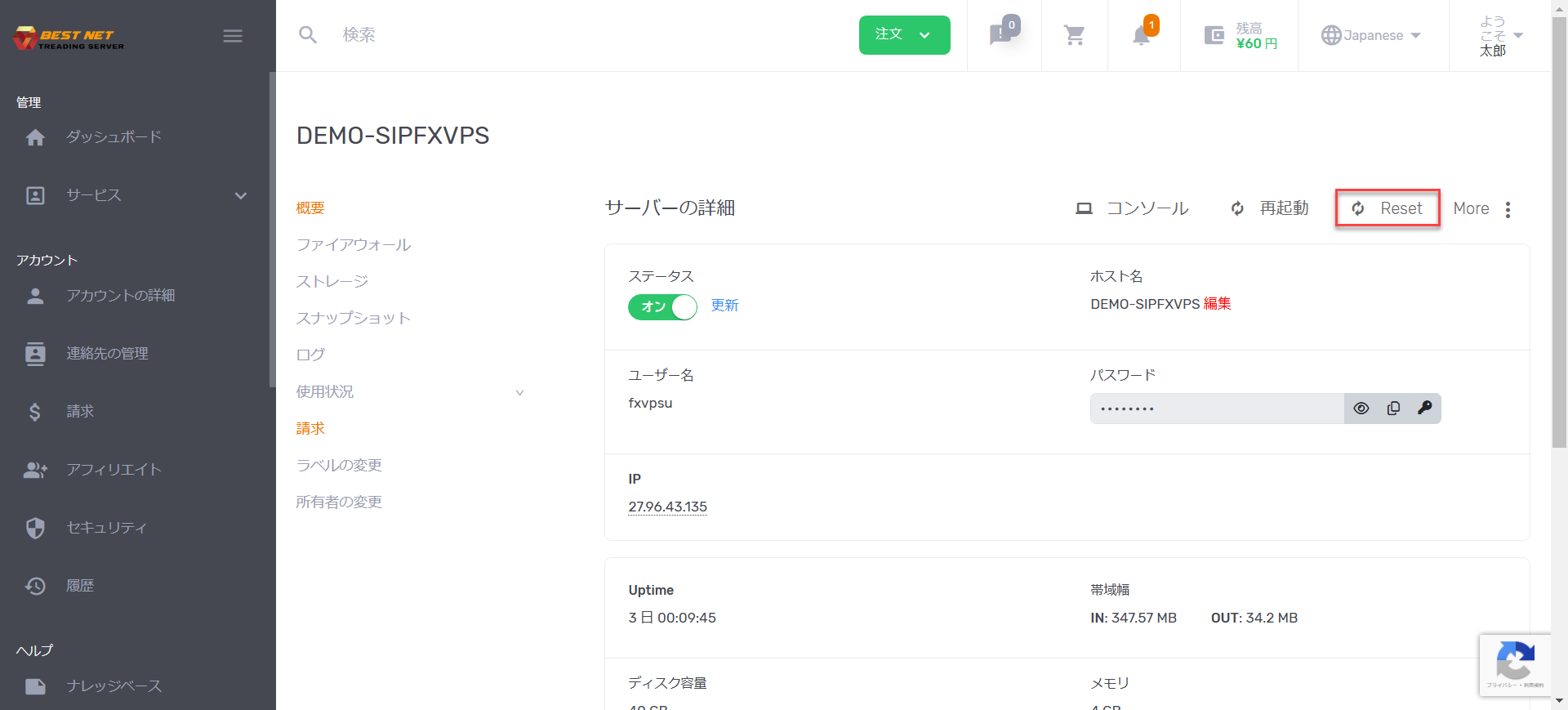
Open the server details screen and click Reset on the right side.
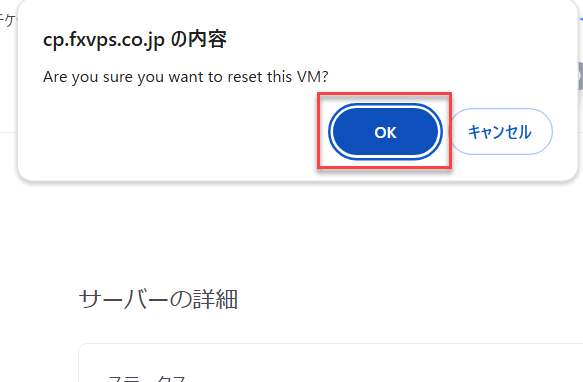
Step 4 Press “OK” to confirm #
A confirmation popup will appear at the top of the screen. If everything is correct,
press the OK button.
Caution
Please confirm that the target VPS is correct before proceeding.
Step 5 Complete when status returns to “On” #
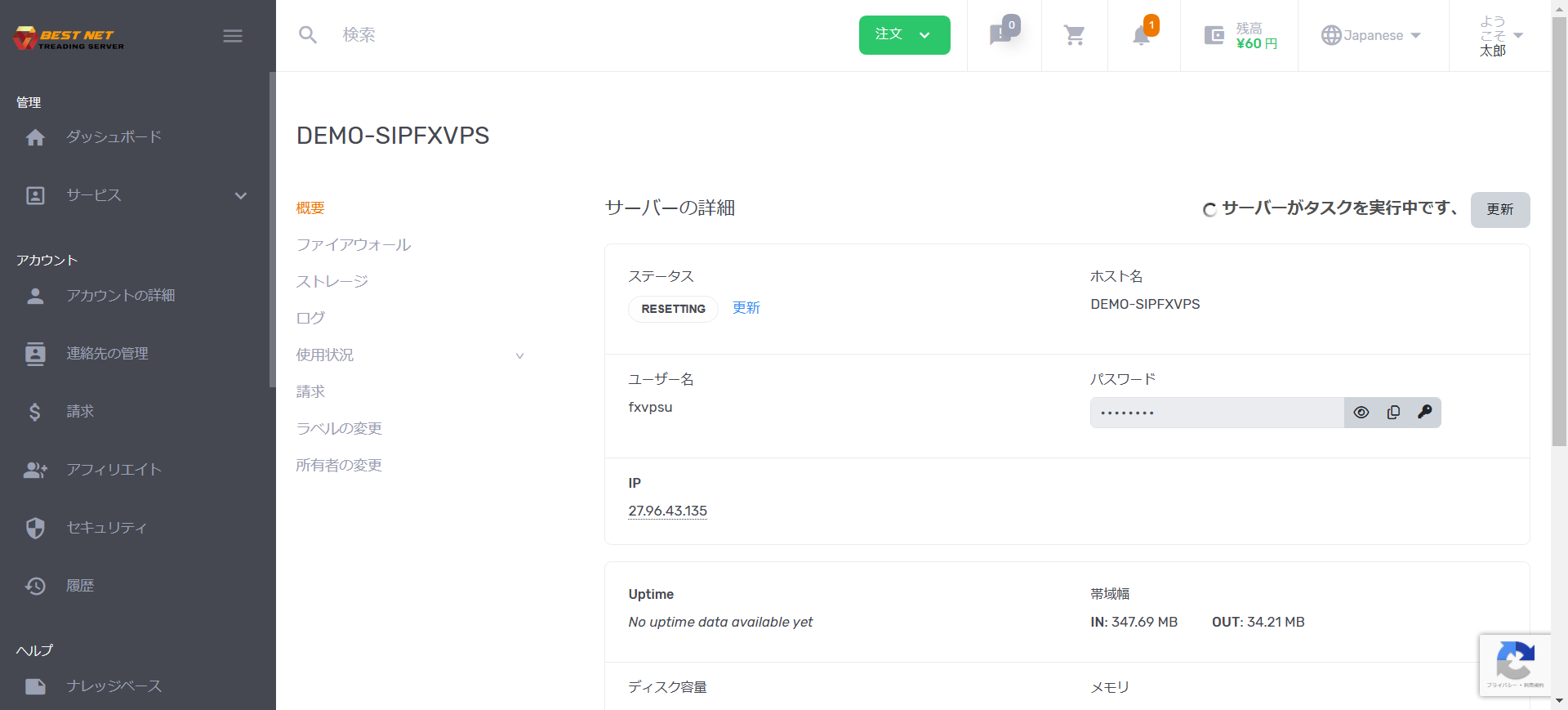
Once the force restart begins, the screen will display as follows.
The Reset process may take a few minutes. Once the status changes to
On, the process is complete.
Note
During processing, there may be temporary periods when operations are not available.