BESTNET-FXVPSv2 / Kubuntu OS
This page provides instructions for updating Kubuntu OS.
1. Purpose and Overview of This Manual #
Procedures for performing OS updates.
Important Notice
Updates may cause issues. If any problems occur, please restore from the included date/time backup or resolve the issue yourself.
2. Revision History #
| Version | Date Created | Update Details |
|---|---|---|
| 1.0 | 2024/10 | Initial creation |
3. Launch Konsole in OS #
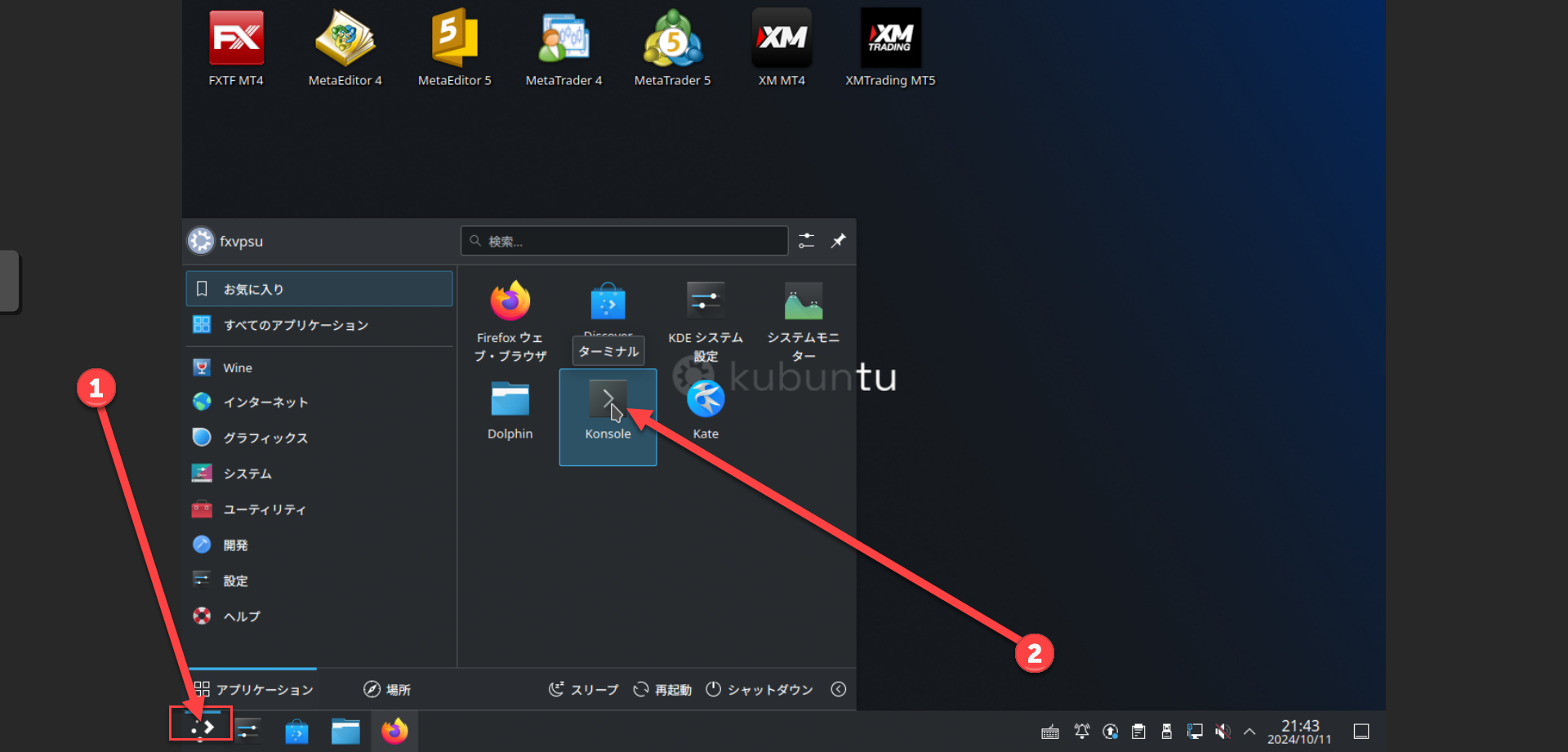
Step 1 Open Konsole #
Please launch Konsole in OS by referring to the image below.
4. Execute Update Commands in Konsole #
Step 2 Execute Update Commands #
Once Konsole is open, execute the following commands in order.
sudo -s
apt update && apt upgrade -y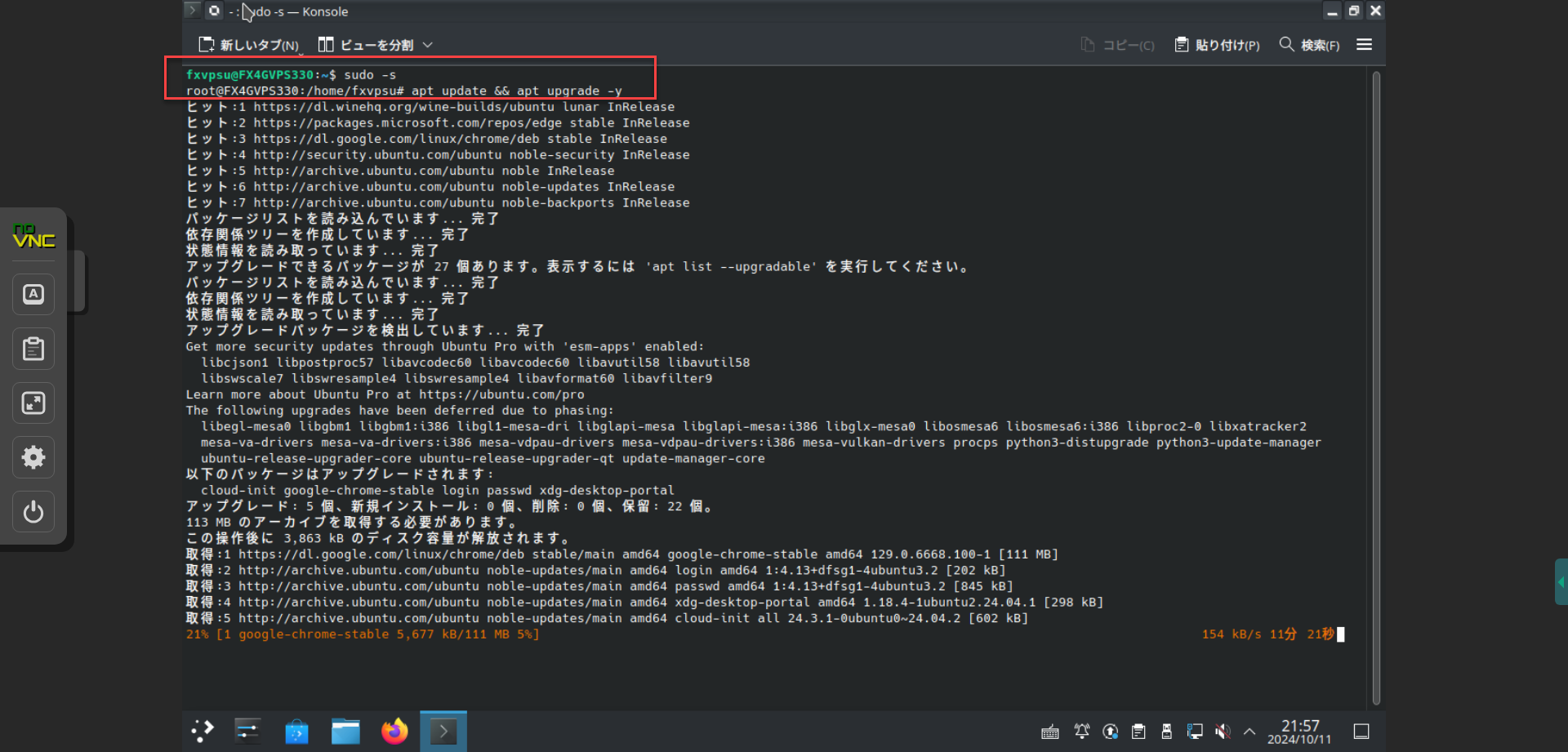
Important During Operations
Do not close Konsole until the update process is complete.





